How to record a lecture with no signal and search it before the exam

You remember the professor saying something about due process. You don’t remember when, and the recording is 90 minutes long. A searchable transcript turns that into a ten-second problem.
Before the lecture
- Ask first. Many universities and lecturers have rules on recording, and the law varies by place. Check the course policy or ask the lecturer. If your university offers accessibility arrangements, those may cover recording too.
- Choose your model on Wi-Fi. Tiny is already installed. If you want Base, download it before you leave, as that’s the one step that needs a connection.
- Charge your phone. Transcribing on the device takes real processing, so start with a healthy battery and keep a charger or power bank nearby.
- Run a test. Record a minute in your own language and check that the result is useful for you.
No signal is fine
Basement halls and old stone buildings often have poor reception. It doesn’t matter here, because the speech model runs on your phone. You can turn on airplane mode, which also stops notifications from interrupting you.

From the hall to your revision notes
 1
Record
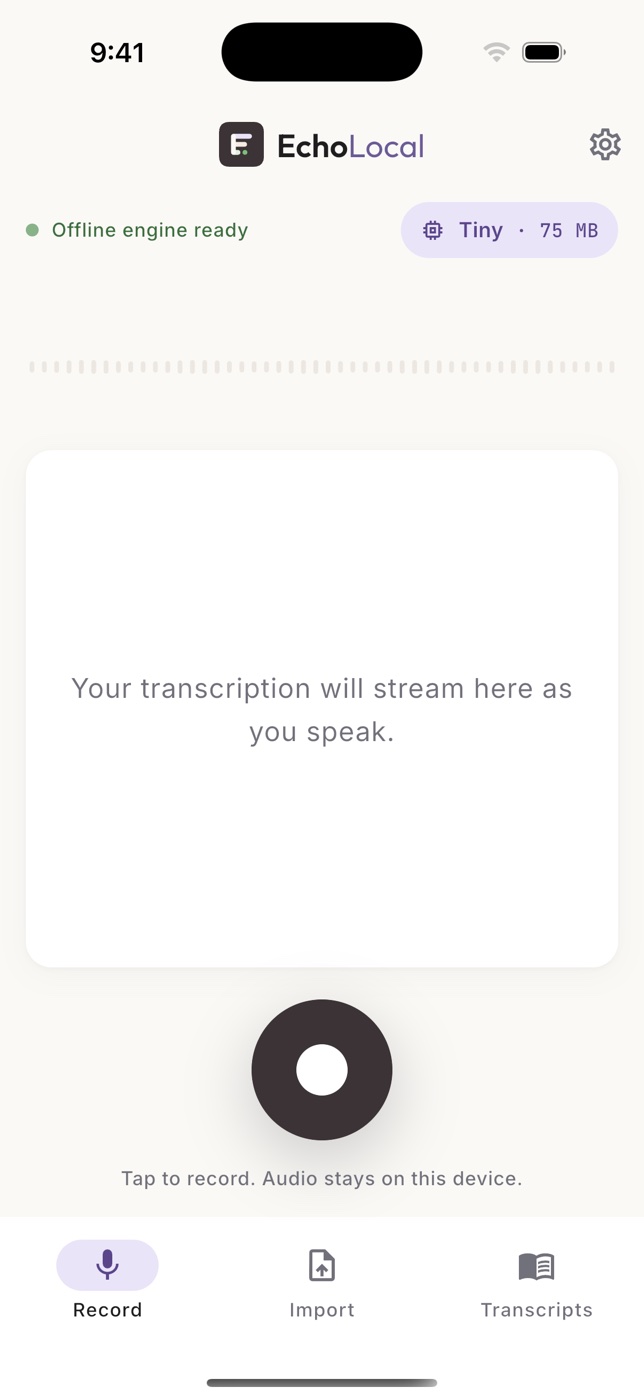
Start dictation and put the phone on the desk, as close to the speaker as you can. Recording can continue with the screen locked. On Android you’ll see a notification while it runs.
 2
Find it
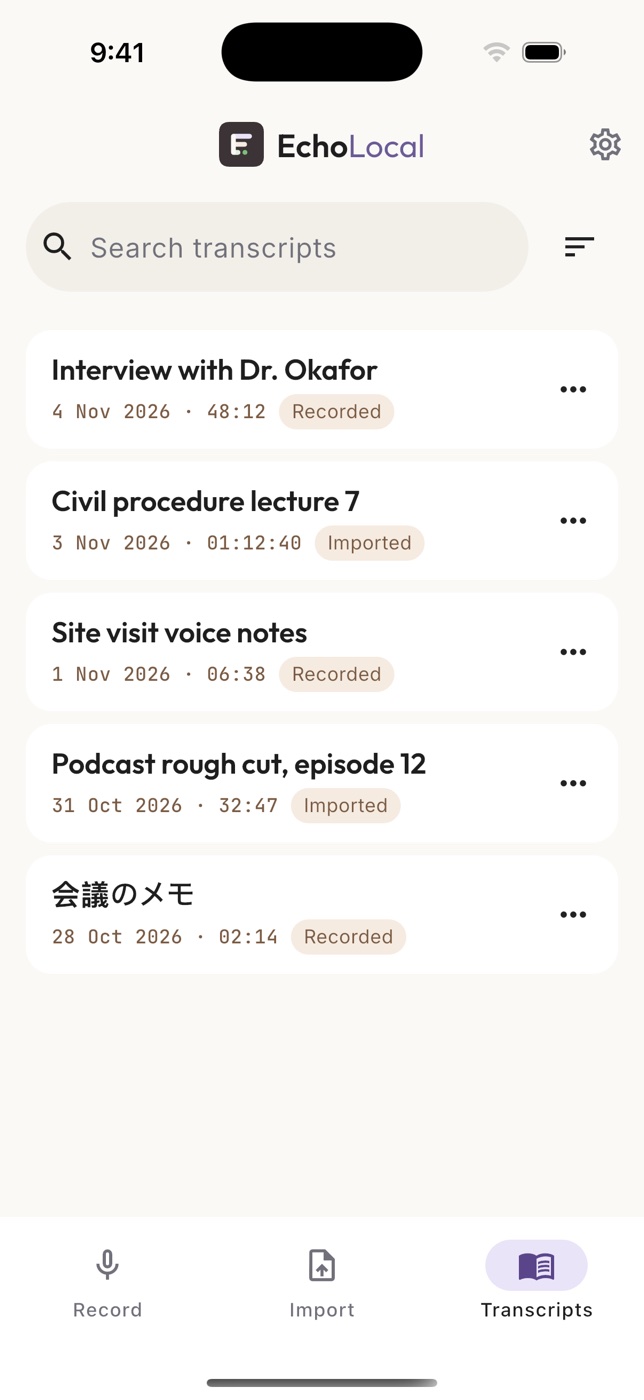
Each recording lands in your library with its date and duration. Rename it straight away, for example “Constitutional Law, week 6”, while you still remember which one it was.
 3
Search and listen
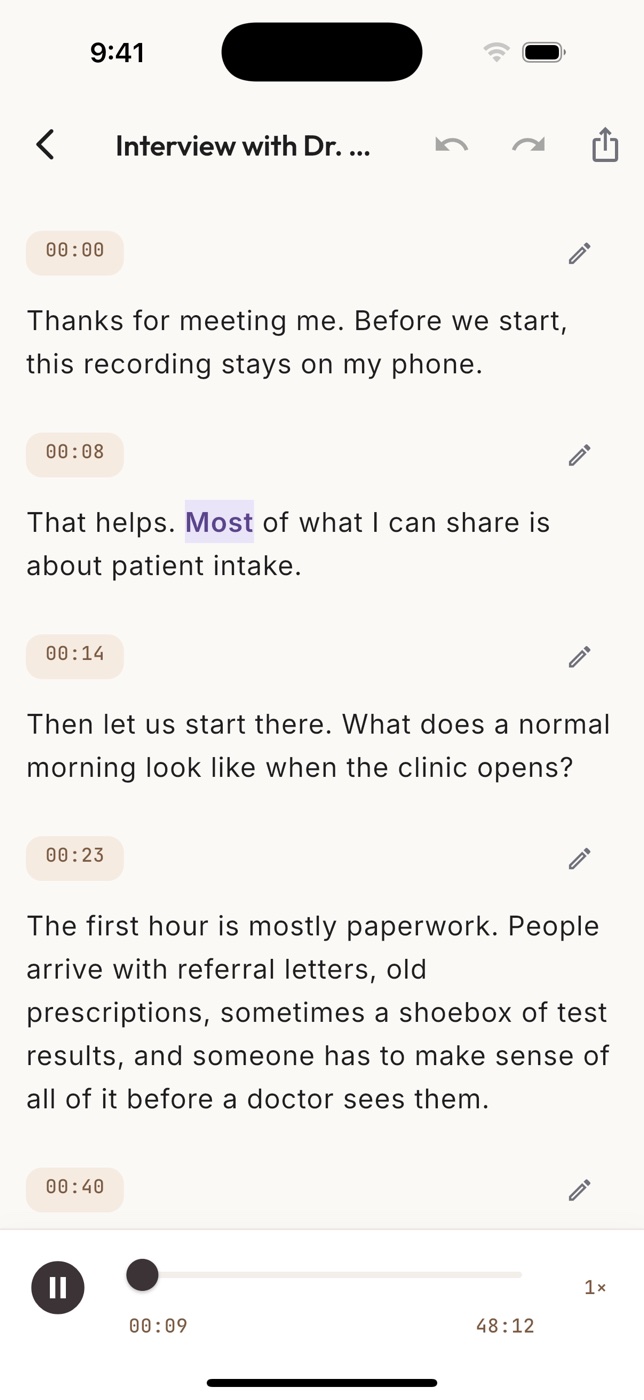
Search across every transcript for a term, then tap a word to hear that moment. The audio settles what the text got wrong, which matters most for names and technical terms.


Turning a transcript into revision
A transcript is raw material, and reading all of it back is rarely the best use of your time. Try this instead:
- Search for what the exam covers. Work from the syllabus or past papers and look up each term.
- Rewrite it in your own words. Summarizing the passage yourself does more for your memory than rereading it.
- Check anything you’ll rely on. A transcript can mishear a date, a name or a number. Compare it with the audio and your textbook.
- Export what you want to keep. There’s no cloud copy, so if you lose the phone your library goes with it. Export the important transcripts as TXT or Markdown, and put them with your notes.
EchoLocal handles all of this on the free plan, with no account and no upload. It works in 19 languages, and accuracy varies by language, voice and room, so try it on a short recording before you rely on it for a whole term.
Sources
Checked on 5 November 2026. This article is general information, not legal, medical or security advice.